What is Socialize?
Socialize is the easiest way to selectively add actionable social sharing buttons to your posts. It supports both official share buttons and lightweight SVG alternatives. Share counts are no longer reliable across platforms, but a well-placed reminder to share is still effective and remains a common part of good UX.
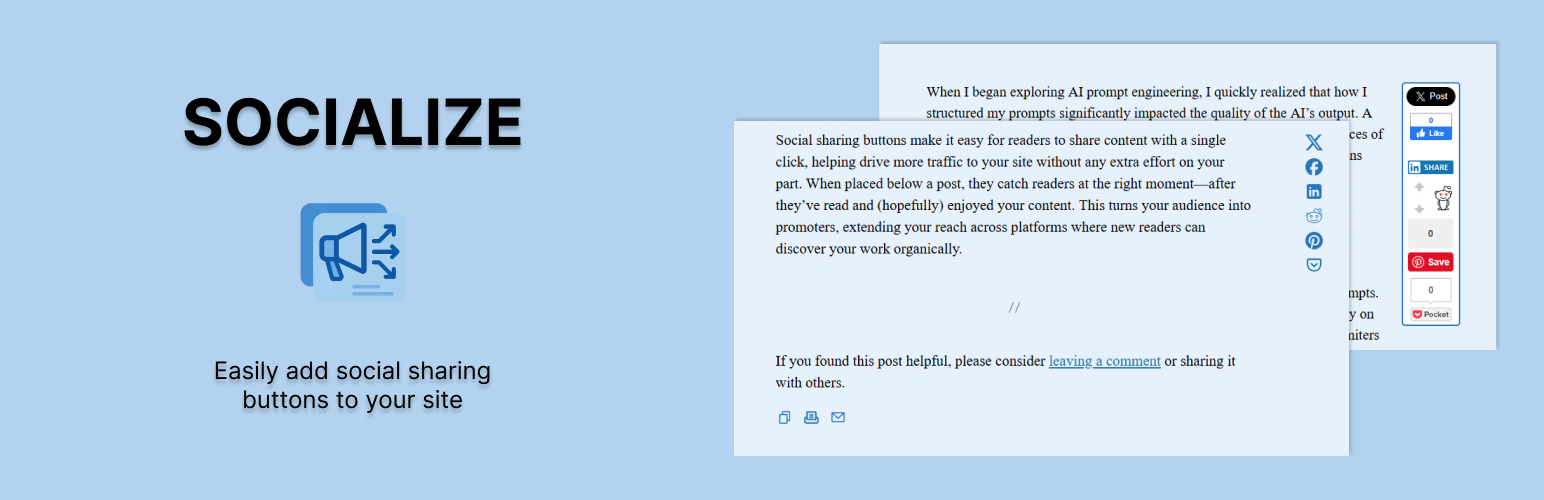
You can add social sharing buttons in three places:
I believe that using thoughtfully placed, relevant sharing buttons encourages more meaningful engagement. Actionable social sharing buttons, whether official or custom, offer your readers a simple, clear way to share your content without cluttering the experience.
I also believe that selectively displaying only the buttons that perform well for your content makes them more effective. Why? Because when something feels active and important, people notice. That subtle social proof still works, even without the numbers.
The plugin was designed to make managing buttons simple and intuitive. Instead of dealing with extra meta fields or clunky shortcodes, there’s a settings panel built into each post editor where you can choose which buttons to show and in what order.
You also get a call-to-action box below your posts. This section can be used to ask readers to comment, share, or take another action. It can be customized globally or on a post-by-post basis. The potential here is huge, every post gets a built-in CTA, and you decide what it says and how it looks.
There are all sorts of display settings for the buttons and button types. You can change the appearance of the inline, floating, and CTA layouts from within the plugin settings. Everything is built to give you control, without getting in your way.
Check out some screenshots of Socialize on WordPress.org
- Inside the content
- In a floating bar alongside the content
- In a customizable box below the content
Supported Services
Socialize supports a range of popular sharing and utility actions out of the box. You can choose between official share buttons or clean, fast-loading SVGs. Current supported services include:
Each button can be enabled or disabled globally or per post. You can also choose whether to show them inline, in the CTA box, or both. Button order is fully customizable, and you can mix and match SVGs with official buttons based on your design and functionality needs.
- Twitter (X)
- Facebook
- Reddit
- LinkedIn
- Pinterest
- Pocket
- Email
- Copy to Clipboard
- Print Page
How is Socialize Different from Other Social Sharing Plugins?
Most social plugins try to do too much, or worse, they assume you want the same buttons on every post, in the same place, with the same styling. Socialize was built to be flexible without being bloated.
You decide which buttons to show and where to show them. Every post can have its own setup. Want different buttons for a tutorial than for a personal essay? Done. Want to test button positions? No problem.
The post editor includes a simple panel where you can toggle buttons, reorder them with drag-and-drop, and customize your CTA message. There’s no need to mess with shortcodes or external settings screens.
The built-in call-to-action box is another major difference. Most plugins treat social sharing as a bolt-on. Socialize treats it as part of the content experience. The CTA box can be styled to match your theme, customized globally or per post, and used to drive comments, shares, or any action you care about.
And because Socialize doesn’t rely on third-party scripts unless you choose to use official buttons, it stays fast, lightweight, and respectful of your site’s performance.
Installation
Download the plugin from the WordPress Plugin Repository or upload the ZIP directly through your WordPress admin.
Activate the plugin through the Plugins menu in WordPress.
Go to Settings → Socialize to configure your global defaults:
When editing a post or page, use the Socialize panel below the editor to:
- Choose which buttons to display
- Set your default call-to-action message
- Adjust styling and layout options
- Customize buttons per post
- Reorder buttons with drag-and-drop
- Override the global CTA message if needed
Final Thoughts
Socialize was built out of necessity—something lightweight, flexible, and thoughtful that didn’t force one-size-fits-all decisions onto every post. It’s been shaped by years of real-world use and continues to evolve with modern best practices in mind.
If you value control over where and how people engage with your content, Socialize gives you the tools without the bloat. Customize as much or as little as you want. Keep it simple, or lean into the more advanced features. It’s your site—Socialize just helps people share it.
Have questions, feedback, or feature requests? Get in touch.


Supported Services
Socialize supports a range of popular sharing and utility actions out of the box. You can choose between official share buttons or clean, fast-loading SVGs. Current supported services include:
Each button can be enabled or disabled globally or per post. You can also choose whether to show them inline, in the CTA box, or both. Button order is fully customizable, and you can mix and match SVGs with official buttons based on your design and functionality needs.